課程名稱:Microsoft Certified Cloud and AI Security Engineer Associate 國際認可證書課程 (1 科 Azure 雲端保安)
- 簡稱:Cloud and AI Security Training Course |
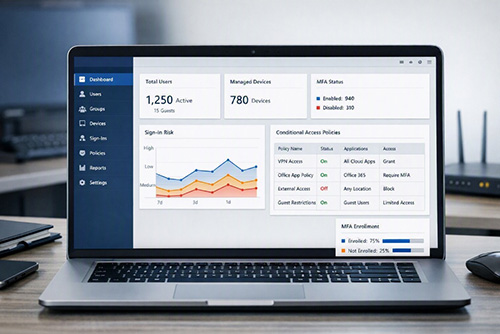
1. Manage and implement authentication methods in Microsoft Entra ID
1.1 Microsoft Entra ID authentication methods
1.1.1 The authentication methods landscape
1.1.2 Multifactor authentication as the bridge
1.1.3 Authentication strength and security hierarchy
1.1.4 Microsoft Entra ID authentication architecture
1.2 Implementation flow of Multifactor authentication in Microsoft Entra ID
1.2.1 Deploy MFA with the right enforcement model
1.2.2 Named locations and Trusted IP boundaries
1.2.3 Authentication methods that match risk
1.2.4 Secure registration and enrollment
1.2.5 Apply MFA strategy to workload identities and AI agents
1.2.6 Contoso Scenario example implementation sequence
1.2.7 Monitor adoption and improve continuously
1.3 Passwordless Authentication in Microsoft Entra ID
1.3.1 Match passwordless methods to user personas
1.3.2 Deploy Windows Hello for Business for managed Windows devices
1.3.3 Enable passkeys in Microsoft Authenticator for mobile and cross-platform users
1.3.4 Issue FIDO2 security keys for high-assurance scenarios
1.3.5 Plan for synced passkeys where convenience is a priority
1.3.6 Extend passwordless strategy to applications and service workloads
1.3.7 Roll out in phases and measure adoption
1.4 Self-Service Password Reset (SSPR) in Microsoft Entra ID
1.4.1 Enable SSPR and verify licensing requirements
1.4.2 Configure SSPR authentication methods
1.4.3 Enforce registration and configure password writeback
1.4.4 Monitor SSPR activity and support AI-powered helpdesk agents
1.4.5 Administrator-specific SSPR constraints
1.4.6 B2B guest user behavior
1.4.7 Troubleshooting common SSPR issues
1.5 Configure the Multifactor Authentication Registration Policy
2. Privileged Identity Management (PIM)
2.1 Why Privileged Identity Management and just-in-time access matter
2.1.1 Standing privilege creates persistent attack surface
2.1.2 Blast radius and the cost of overprivileged access
2.2 Key PIM Terminology and High-Level view of PIM flow
2.2.1 Activation controls
2.2.2 Visibility and accountability after access
2.3 Enabling Entra ID Privileged Identity Management
2.4 Assigning Azure Resource Roles in PIM
2.5 Activating an Eligible resource role in Entra ID PIM
2.6 Just-in-time access for Microsoft Entra roles
2.6.1 Identify Microsoft Entra roles that should never be permanent
2.6.2 Assign eligible access to a Microsoft Entra role
2.6.3 Configure role settings for activation
2.6.4 Activate an eligible Microsoft Entra role
2.7 More about Just-In-Time access for Azure RBAC Roles and resources
2.7.1 Understand the Azure resource scope in Privileged Identity Management (PIM)
2.7.2 Identify which resources need the tightest access controls
2.8 Scaling with PIM for Groups
2.8.1 The scale problem with direct role assignments
2.8.2 How PIM for Groups works
2.8.3 Why group-based JIT enforces policy more consistently
2.8.4 When to choose group-based JIT
2.9 Applying JIT access to AI workloads, agents, and applications
2.9.1 The AI control plane as a privileged attack surface
2.9.2 Applying PIM and groups to AI control-plane roles
2.9.3 The principal boundary—humans versus workload identities
2.9.4 Choosing the right access model
2.10 JIT design patterns and best practices
2.10.1 Privilege as an architectural decision
2.10.2 Patterns for JIT access design
2.10.3 The break-glass exception
3. Authenticate your API plugin for declarative agents with secured APIs
3.1 Integrate an API plugin with an API secured with a key
3.2 Integrate an API plugin with an API secured with a key exercise
3.2.1 Create a new project
3.2.2 Examine the API key authentication configuration
3.2.3 Examine the API implementation
3.2.4 Examine the vault task configuration
3.2.5 Configure API key for local development
3.2.6 Test the declarative agent with the API plugin in Microsoft 365 Copilot
3.3 Integrate an API plugin with an API secured with OAuth
3.4 Integrate an API plugin with an API secured with OAuth exercise
3.4.1 Open the sample project
3.4.2 Examine the OAuth2 authorization configuration
3.4.3 Examine the API implementation
3.4.4 Examine the vault task configuration
3.4.5 Examine the authentication and authorization configuration
3.4.6 Examine the Microsoft Entra application registration
3.4.7 Test the declarative agent with the API plugin in Microsoft 365 Copilot
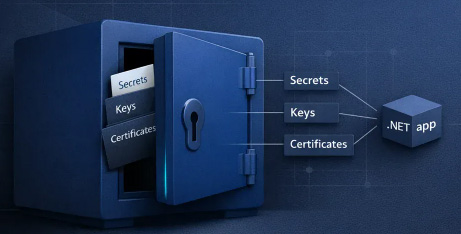
4. Configure and secure Azure Key Vault
4.1 Deploy Azure Key Vault with security controls
4.1.1 Choose the right SKU for your compliance requirements
4.1.2 Set security-critical properties at deployment time
4.1.3 Configure soft delete and purge protection at key vault creation
4.1.4 Enforce vault configuration at scale with Azure Policy
4.2 Configure access to Azure Key Vault
4.2.1 Understand the Key Vault access model
4.2.2 Use Azure RBAC instead of legacy access policies
4.2.3 Assign the right data plane role for each workload
4.2.4 Eliminate persistent elevated access with Privileged Identity Management
4.3 Configure Key Vault firewall and network settings
4.3.1 Evaluate the default network posture
4.3.2 Restrict access with firewall rules and IP allow lists
4.3.3 Configure the firewall in the Azure portal
4.3.4 Route virtual network traffic over the Azure backbone using service endpoints
4.3.5 Configure a service endpoint in the Azure portal
4.3.6 Fully isolate Key Vault with private endpoints
4.3.7 Choose the right isolation model for your workload
4.3.8 Evaluate network access options for AI agents
5. Manage keys and secrets in Azure Key Vault
5.1.1 Recognize the lifecycle gaps
5.1.2 Explore keys and secrets in Key vault
5.2 Manage cryptographic keys in Azure Key Vault
5.2.1 Compare key types and protection levels
5.2.2 Evaluate software and HSM key protection
5.2.3 Implement Bring Your Own Key (BYOK)
5.2.4 Configure key autorotation
5.2.5 Examine key versioning and encrypted data
5.2.6 Configure key expiry and Event Grid notifications
5.3 Manage secrets in Azure Key Vault
5.3.1 Distinguish secrets from keys and certificates
5.3.2 Examine secret versioning and lifecycle attributes
5.3.3 Configure Key Vault references for applications
5.3.4 Single-credential rotation
5.3.5 Dual-credential rotation
5.3.6 Implementing dual-credential rotation with Azure Functions
6. Manage certificates and Monitor Azure Key Vault
6.1 Manage certificates in Azure Key Vault
6.1.1 Distinguish certificate issuance models
6.1.2 Configure an integrated CA issuer
6.1.3 Configure lifetime actions for autorenewal
6.1.4 Set certificate contacts
6.1.5 Evaluate certificate exportability
6.2 Enable Key Vault audit logging
6.2.1 Recognize how diagnostic logs enable investigations
6.2.2 Enable Key Vault resource logs
6.2.3 Identify key fields in AuditEvent logs
6.2.4 Configure log-based alert rules
6.2.5 Integrate Event Grid for real-time vault events
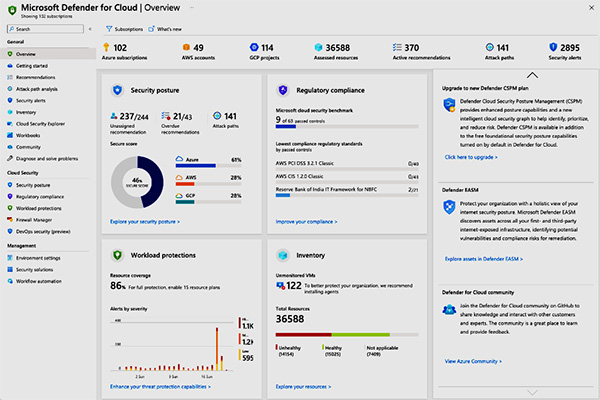
7. Protect Azure Key Vault with Microsoft Defender for Cloud
7.1 Scan for exposed secrets using Defender Cloud Security Posture Management (CSPM)
7.1.1 Identify what agentless scanning detects
7.1.2 Scan virtual machine disks for exposed secrets
7.1.3 Scan cloud deployment resources for hardcoded credentials
7.1.4 Scan code repositories for leaked secrets
7.1.5 Review findings in Defender for Cloud
7.1.6 Analyze attack paths from secret exposure
7.1.7 Remediate a secret scanning finding
7.2 Enable Microsoft Defender for Key Vault
7.2.1 Enable Microsoft Defender for Key Vault
7.2.2 Identify what Defender for Key Vault monitors
7.2.3 Locate where alerts surface
7.2.4 Manage alert suppression rules
7.2.5 Distinguish between Defender for Key Vault and CSPM scanning
7.3 Investigate and respond to Defender for Key Vault alerts
7.3.1 Interpret alert fields and context
7.3.2 Identify the source (Step 1)
7.3.3 Respond to the immediate threat (Step 2)
7.3.4 Measure the issue (Step 3)
7.3.5 Take action (Step 4)
7.3.6 Use security recommendations alongside alerts
8. Enforce governance with Azure Policy and Resource Locks
8.1 Assign built-in Azure Policy definitions
8.1.1 What happens when a resource doesn't comply
8.1.2 Policy scope hierarchy—where to assign matters
8.1.3 Built-in definitions—the security engineer's starting catalog
8.1.4 Assign a built-in initiative—portal walkthrough
8.1.5 Review the compliance dashboard for Contoso's findings
8.2 Create and deploy custom policy definitions
8.2.1 When built-in definitions aren't enough
8.2.2 Anatomy of a custom policy definition
8.2.3 Create a custom definition in the portal
8.2.4 Configure a remediation task for existing noncompliant resources
8.2.5 Policy exemptions—when a resource shouldn't comply
8.3 Implement resource locks
8.3.1 Understand the difference between Delete and ReadOnly locks
8.3.2 Use lock inheritance to protect multiple resources
8.3.3 Control who can create and remove locks
8.3.4 Apply a resource lock in the portal
8.3.5 Enforce locks at scale with Azure Policy
9. Configure Security Controls and Remediate recommendations in Defender for Cloud
9.1 Configure Defender for Cloud and manage security standards
9.1.1 Environment settings—configure before you govern
9.1.2 Security standards—what generates recommendations
9.1.3 Create a custom security standard from an Azure Policy initiative
9.1.4 Understanding how standards generate recommendations
9.2 Deploy remediation controls at scale
9.2.1 The security engineer's remediation workflow
9.2.2 Fix bulk automated control deployment
9.2.3 Policy remediation tasks—trigger DeployIfNotExists at scale
9.2.4 Governance rules—assign ownership and enforce a compliance deadline
9.2.5 Create Exemptions - formal documentation of excluded controls
9.2.6 Track remediation progress
10. Evaluate regulatory compliance in Defender for Cloud
10.1 Understand compliance standards and controls in Defender for Cloud
10.1.1 Compliance standards in Defender for Cloud
10.1.2 The Microsoft Cloud Security Benchmark
10.1.3 Compliance controls and assessment states
10.1.4 Working across the Azure and Defender portals
10.2 Navigate the regulatory compliance dashboard and investigate control gaps
10.2.1 The compliance dashboard in the Defender portal
10.2.2 Drilling into a standard and its controls
10.2.3 Investigating a failing assessment
10.2.4 Filtering recommendations by compliance framework
10.3 Assign standards and communicate compliance posture
10.3.1 Assign compliance standards in the Azure portal
10.3.2 Download audit reports
10.3.3 Integrate with Microsoft Purview Compliance Manager
10.3.4 Create custom standards with Defender CSPM
10.4 Technical deep dive
10.4.1 How the compliance engine actually works
10.4.2 Choosing a standard, a scope and a remediation order
10.4.3 Failure modes and how to verify a compliance posture
10.4.4 Remarks: worked scenarios
10.4.5 Key facts to memorise
11. Manage and right-size RBAC role assignments for least privilege
11.1 Assign and manage Azure built-in roles
11.1.1 The RBAC scope hierarchy—narrower is safer
11.1.2 Choose the right built-in role—service-specific first
11.1.3 Managed identity role assignments
11.1.4 View effective permissions and assign roles
11.1.5 Assignment limits—planning for scale
11.2 Create custom Azure roles and Microsoft Entra roles
11.2.1 When custom roles are needed
11.2.2 Azure custom role structure
11.2.3 Create a custom Azure role through the portal
11.2.4 Microsoft Entra custom roles—a different system
11.2.5 When to use a custom role versus alternatives
11.3 Evaluate and remediate overprivileged access
11.3.1 The over-privilege problem - why it persists
11.3.2 Defender for Cloud CSPM - CIEM for identity insights
11.3.3 Azure Advisor RBAC recommendations
11.3.4 Microsoft Entra access reviews - structured evidence-based remediation
11.3.5 Right-sizing outcomes—what to do with the findings
11.4 Technical deep dive
11.4.1 How authorisation is evaluated in Azure
11.4.2 Right-sizing a finding without breaking the workload
11.4.3 Failure modes and verification
11.4.4 Portal checklist
12. Protect Backup data with Azure Backup Security features
12.1 Enable soft delete and immutable vaults
12.1.1 Why backup infrastructure is an attack target
12.1.2 Enhanced soft delete—the recovery window
12.1.3 Vault immutability - WORM protection for recovery points
12.1.4 Azure Backup security posture rating—your target state
12.2 Configure Multi-User Authorization and RBAC for backup
12.2.1 The gap that soft delete and immutability don't close
12.2.2 Resource Guard - the MUA enforcement resource
12.2.3 Configure MUA - portal walkthrough
12.2.4 Backup RBAC roles - minimum privilege for backup operations
12.2.5 Customer-managed key encryption for recovery points
12.3 Technical deep dive
12.3.1 The three-control backup baseline and what each control stops
12.3.2 Design decisions: vault tier, guard placement and role split
12.3.3 Failure modes and how to prove the protection works
12.3.4 Key facts to memorise
13. Implement security controls in infrastructure as code
13.1 Scan IaC templates using Microsoft Defender for DevOps
13.1.1 Connect GitHub and Azure DevOps to Defender for Cloud
13.1.2 Microsoft Security DevOps (MSDO) extension—IaC scanning in the pipeline
13.1.3 Template Analyzer and Checkov—the scanning engines
13.1.4 PR annotations and blocking noncompliant merges
13.1.5 Agentless scanning—alternative for existing repos
13.2 Enforce policy compliance in IaC deployments
13.2.1 Why pipeline scanning alone isn't enough
13.2.2 Azure Policy Deny effect—the platform backstop
13.2.3 Policy-as-code workflow—from definition to enforcement
13.2.4 Enterprise Policy as Code (EPAC)—managing at scale
13.2.5 Secure Bicep authoring patterns—reducing findings at the source
13.3 Technical deep dive
13.3.1 Where infrastructure as code changes the security model
13.3.2 Design decisions: scanning, policy and pipeline permissions
13.3.3 Failure modes and verification
13.3.4 Key facts to memorise
13.3.5 Important: common misreadings and how to avoid them
14. Implement Security and Manage Access for Azure Storage
14.1 Configure storage account security settings
14.1.1 Require secure transfer
14.1.2 Configure minimum TLS version
14.1.3 Disable anonymous blob access
14.1.4 Disable cross-tenant object replication
14.2 Select an authorization model for Azure Storage
14.2.1 Authorization models overview
14.2.2 Shared Access Signatures
14.2.3 Microsoft Entra ID with RBAC
14.2.4 Implement managed identity access
14.3 Manage access with stored access policies
14.3.1 What stored access policies provide
14.3.2 Create a stored access policy
14.3.3 Associate a SAS token with a stored access policy
14.3.4 Revoke access
14.3.5 Limitations
14.4 Disable Shared Key authorization and enforce with Azure Policy
14.4.1 Why Shared Key must be eliminated
14.4.2 Detect current Shared Key usage
14.4.3 Migrate to identity-based authorization
14.4.4 Disable Shared Key authorization
14.4.5 Enforce at scale with Azure Policy
14.5 Technical deep dive
14.5.1 The four authorization models and how they interact
14.5.2 Design decisions: keys, SAS and delegation
14.5.3 Failure modes and verification
14.5.4 Key facts to memorise
14.5.5 Important: common misreadings and how to avoid them
14.5.6 Operational runbook
15. Configure Network Security for Azure Storage
15.1 Describe Azure Storage network security controls
15.1.1 How the storage firewall changes default behavior
15.1.2 Four types of network rules
15.1.3 Network rules and authorization
15.2 Configure virtual network and IP rules
15.2.1 Virtual network rules and service endpoints
15.2.2 When virtual network rules take effect
15.2.3 IP network rules for public addresses
15.2.4 Preparing for regional failover
15.2.5 Applying the rules to Contoso's scenario
15.3 Configure resource instance rules and trusted services
15.3.1 The resource instance rule solution
15.3.2 Trusted service exceptions
15.3.3 Choosing between resource instance rules and trusted service exceptions
15.3.4 Applying resource instance rules to Contoso's scenario
15.4 Implement private endpoints for storage accounts
15.4.1 What private endpoints provide
15.4.2 Private endpoints versus virtual network service endpoints
15.4.3 DNS configuration for private endpoints
15.4.4 Disabling the public endpoint
15.4.5 When to use private endpoints
15.4.6 Applying private endpoints to Contoso's scenario
15.5 Technical deep dive
15.5.1 How a storage request is filtered before authorisation
15.5.2 Design decisions: isolation, exceptions and DNS
15.5.3 Failure modes and how to verify isolation
15.5.4 Remarks: worked scenarios
15.5.5 Portal checklist
15.5.6 Key facts to memorise
16. Implement Microsoft Defender for Storage
16.1 Explore Microsoft Defender for Storage capabilities
16.1.1 Detect suspicious activity patterns with continuous monitoring
16.1.2 Scan uploaded content for malware threats
16.1.3 Prioritize alerts based on data sensitivity
16.1.4 Compare the Defender for Storage plan options
16.2 Enable and deploy Defender for Storage
16.2.1 Enable protection at subscription level
16.2.2 Deploy using Azure Policy for consistent enforcement
16.2.3 Configure resource-level enablement for granular control
16.2.4 Monitor coverage using Storage Center
16.2.5 Choose the appropriate deployment method
16.3 Configure malware scanning and sensitive data detection
16.3.1 Configure on-upload scanning for real-time protection
16.3.2 Use on-demand scanning for retrospective analysis (回顧性分析)
16.3.3 Compare hash reputation analysis with full content scanning
16.3.4 Configure monthly scanning caps for cost control
16.3.5 Enable sensitive data threat detection
16.4 Configure alert routing and validate Defender coverage
16.4.1 Configure email notifications for critical alerts
16.4.2 Route alerts to Microsoft Sentinel for centralized incident management
16.4.3 Create alert suppression rules to reduce noise
16.4.4 Validate coverage with Storage Center verification
16.4.5 Confirm malware scanning is active
16.4.6 Validate alert routing with sample alerts
16.5 Technical deep dive
16.5.1 What the plan actually detects, and how
16.5.2 Design decisions: scope, plans and response
16.5.3 Failure modes and verification
16.5.4 Key facts to memorize
16.5.5 Important: common misreadings and how to avoid them
16.5.6 Operational runbook
17. Configure platform-level security for Azure SQL
17.1 Configure authentication and managed identity access
17.1.1 Set up Microsoft Entra ID–only authentication
17.1.2 Create contained database users for managed identities
17.1.3 Assign Azure RBAC roles for SQL security management
17.2 Implement network isolation
17.2.1 Configure private endpoints for Azure SQL Database
17.2.2 Disable public network access
17.2.3 Apply network isolation to SQL Managed Instance
17.2.4 Verify complete isolation
17.3 Encrypt and protect data in transit and at rest
17.3.1 Configure customer-managed keys in Azure Key Vault
17.3.2 Secure data in transit with TLS
17.3.3 Evaluate Always Encrypted for column-level protection
17.4 Apply data masking and row-level security
17.4.1 Apply data masking and row-level security
17.4.2 Mask sensitive columns with dynamic data masking
17.4.3 Filter rows with row-level security
17.5 Combine masking and filtering for layered protection
17.6 Technical deep dive
17.6.1 The layers in front of a query
17.6.2 Design decisions: identity, network and keys
18. Configure auditing for Azure SQL Database and SQL Managed Instance
18.1 Describe Azure SQL auditing capabilities
18.1.1 Choose audit action groups for compliance requirements
18.1.2 Decide between server-level and database-level scope
18.1.3 Configure retention settings for regulatory requirements
18.2 Configure audit destinations for Azure SQL Database
18.2.1 Route audit logs to Azure Blob Storage
18.2.2 Configure immutable storage for compliance
18.2.3 Route audit logs to Log Analytics
18.2.4 Stream audit events to Event Hubs
18.2.5 Enable multiple destinations simultaneously
18.3 Configure auditing for SQL Managed Instance
18.3.1 Configure auditing to Azure Blob Storage
18.3.2 Route audit logs to Azure Monitor or Event Hubs
18.3.3 Audit Microsoft support operations
18.4 Design a compliant audit strategy
18.4.1 Route audit logs to dual destinations
18.4.2 Enforce consistent coverage with Azure Policy
18.4.3 Verify AI workload audit coverage
18.5 Technical deep dive
18.5.1 What auditing actually records and where it goes
18.5.2 Design decisions: retention, immutability and least privilege
19. Implement Microsoft Defender for Databases
19.1 Explore Microsoft Defender for Databases capabilities
19.1.1 Compare Defender for Databases plans
19.1.2 Detect active threats in real time
19.1.3 Identify vulnerabilities before attackers exploit them
19.2 Enable Defender for Azure SQL Databases at subscription scope
19.2.1 Review Defender for open-source relational databases coverage
19.2.2 Enable protection for open-source databases
19.2.3 Recognize key differences from Defender for Azure SQL Databases
19.2.4 Verify coverage and manage exclusions
19.3 Configure vulnerability assessment
19.3.1 Choose express configuration
19.3.2 Review and interpret findings
19.3.3 Set baselines for accepted configurations
19.3.4 Remediate high-severity findings
19.4 Configure alert routing and validate coverage
19.4.1 Configure email notifications for immediate awareness
19.4.2 Connect to Microsoft Sentinel for centralized incident management
19.4.3 Create suppression rules for known-good patterns
19.4.4 Validate coverage with sample alerts
19.4.5 End-to-end coverage checklist
19.5 Technical deep dive
19.5.1 How database protection differs from database configuration
19.5.2 Failure modes and verification
19.5.3 Portal checklist
20. Segment and Isolate Azure workloads using Network Security Controls
20.1 Assess network segmentation gaps
20.1.1 Understand how Azure VNets work by default
20.1.2 Recognize lateral movement patterns in Azure
20.1.3 Identify network segmentation gaps
20.1.4 Apply segmentation assessment to Contoso's environment
20.2 Control traffic with network security groups (NSGs)
20.2.1 Control traffic with network security groups (NSGs)
20.2.2 Understand NSG architecture and security-first design
20.2.3 Configure rule properties to enforce least privilege
20.2.4 Attach an NSG to the database subnet
20.2.5 Translate segmentation goals into NSG rules
20.2.6 Avoid common NSG misconfigurations
20.3 Simplify rule management with Application Security Group (ASG)
20.3.1 Why IP-based rules break at scale
20.3.2 What application security groups are
20.3.3 How ASGs simplify rule management
20.3.4 ASG scope and limitations
20.4 Enforce consistent policy with Azure Virtual Network Manager
20.4.1 The multi-subscription enforcement gap
20.4.2 How Azure Virtual Network Manager works
20.4.3 Security admin rules vs. NSG rules
20.4.4 Create a network group and security admin rule
20.4.5 When to use AVNM security admin rules
20.5 Verify effective network security rules with Network Watcher
20.5.1 Why effective rules differ from configured rules
20.5.2 Use Network Watcher to view effective security rules
20.5.3 Test specific traffic paths with IP flow verify
20.5.4 Handle unexpected verification results
20.5.5 Complete the verification workflow
20.6 Technical deep dive
20.6.1 How traffic is actually filtered in Azure
21. Centralize and Enforce traffic inspection using Azure Firewall
21.1 Determine when centralized traffic inspection is required
21.1.1 What NSGs can and can't do
21.1.2 Threat classes that require centralized inspection
21.1.3 Azure Firewall capabilities
21.1.4 Choose the right Azure Firewall SKU
21.2 Configure Azure Firewall rules and policies
21.2.1 Deploy Azure Firewall in hub-spoke architecture
21.2.2 Understand Firewall Policy hierarchy
21.2.3 Configure rule collections for traffic control
21.2.4 Enable threat intelligence filtering
21.3 Secure a Virtual WAN hub with Azure Firewall
21.3.1 The Virtual WAN security gap
21.3.2 Secured Virtual Hub architecture and routing intent
21.3.3 How routing intent works
21.3.4 Deploy a Secured Virtual Hub
21.3.5 Hub-spoke virtual network vs. Secured Virtual Hub
21.4 Technical deep dive
21.4.1 How Azure Firewall decides what to do with a packet
21.4.2 Design decisions: SKU, topology and policy ownership
21.4.3 Failure modes and verification
22. Secure remote and hybrid connectivity using VPN gateways and Microsoft Entra Private Access
22.1 Assess security risks in hybrid connectivity
22.1.1 Site-to-site VPN security risks
22.1.2 Point-to-site VPN security risks
22.1.3 Assessing Contoso's configuration
22.1.4 Planning a two-tier security response
22.2 Harden VPN gateway security
22.2.1 Change point-to-site authentication from certificates to Microsoft Entra ID
22.2.2 Configure a custom IPsec/IKE policy
22.2.3 Enable forced tunneling
22.2.4 Review gateway logs and diagnostics
22.3 Replace broad VPN access with Microsoft Entra Private Access
22.3.1 Explore the Microsoft Entra Private Access architecture
22.3.2 Choose between Quick Access and per-app access
22.3.3 Configure a Private Access application segment
22.3.4 Apply Conditional Access to private applications
22.3.5 Decide when to retain VPN versus replace with Private Access
22.4 Technical deep dive
22.4.1 How remote access is authenticated and authorised
22.4.2 Design decisions: VPN, Private Access or both
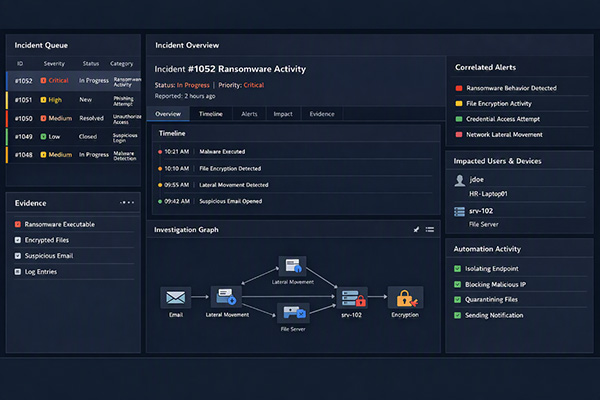
23. Analyze AI identity risks using Microsoft Defender XDR
23.1 Discover AI agents in the Microsoft Defender portal
23.1.1 Access the AI agent inventory
23.1.2 Explore what the inventory shows
23.1.3 Filter and search for specific agents
23.1.4 Review discovery limitations
23.2 Assess blast radius and attack paths
23.2.1 Understand blast radius
23.2.2 Assess blast radius in Defender XDR
23.2.3 Analyze attack paths
23.2.4 Plan remediation actions
24. Enable real-time protection for Copilot Studio Agents
24.1 Explore Copilot Studio AI agent protection
24.1.1 Discover agents and assess exposure
24.1.2 Monitor activity with audit logs and alerts
24.1.3 Block threats with real-time runtime protection
24.1.4 Distinguish Defender for Cloud Apps from Defender for Cloud AI threat protection
24.1.5 Apply protection to Contoso's scenario
24.2 Enable protection in Microsoft Defender
24.2.1 Navigate to Security for AI settings
24.2.2 Enable Security for AI agents
24.2.3 Configure real-time protection during agent runtime
24.2.4 Coordinate with Power Platform administration
24.2.5 Verify connected status
24.2.6 Understand protection behavior after enablement
24.2.7 Apply enablement to Contoso's scenario
24.3 Review AI agent protection outputs
24.3.1 Verify agent inventory in AI assets
24.3.2 Review alerts and incidents in Defender XDR
25. AI Gateway security in Microsoft Foundry
25.1 Assessmentine AI Gateway architecture
25.1.1 The security problem AI Gateway solves
25.1.2 How AI Gateway centralizes security controls
25.1.3 Gateway architecture for Contoso's scenario
25.2 Create and configure AI Gateway
25.2.1 Create the AI Gateway instance
25.2.2 Configure route policies
25.2.3 Set token rate limits
25.2.4 Configure authentication
26. Configure and manage guardrails in Microsoft Foundry
26.1 Understand guardrails and Microsoft Content Safety
26.1.1 How guardrails help secure AI workloads
26.2 Understand safety controls in Microsoft Foundry
26.2.1 Overview of safety controls
26.2.2 Prompt Shields
26.2.3 Content filters
26.2.4 Blocklists and protected material
26.2.5 Groundedness
26.3 Try out built-in guardrails
26.3.1 Evaluate how protections respond to risk
26.4 Create and manage blocklists in Microsoft Foundry
26.4.1 Balance safety and usability
|














 繳付學費,過程簡便!